Now live: Synk runs in a working production plant and an aggregates quarry — available for NZ & AUS operations.
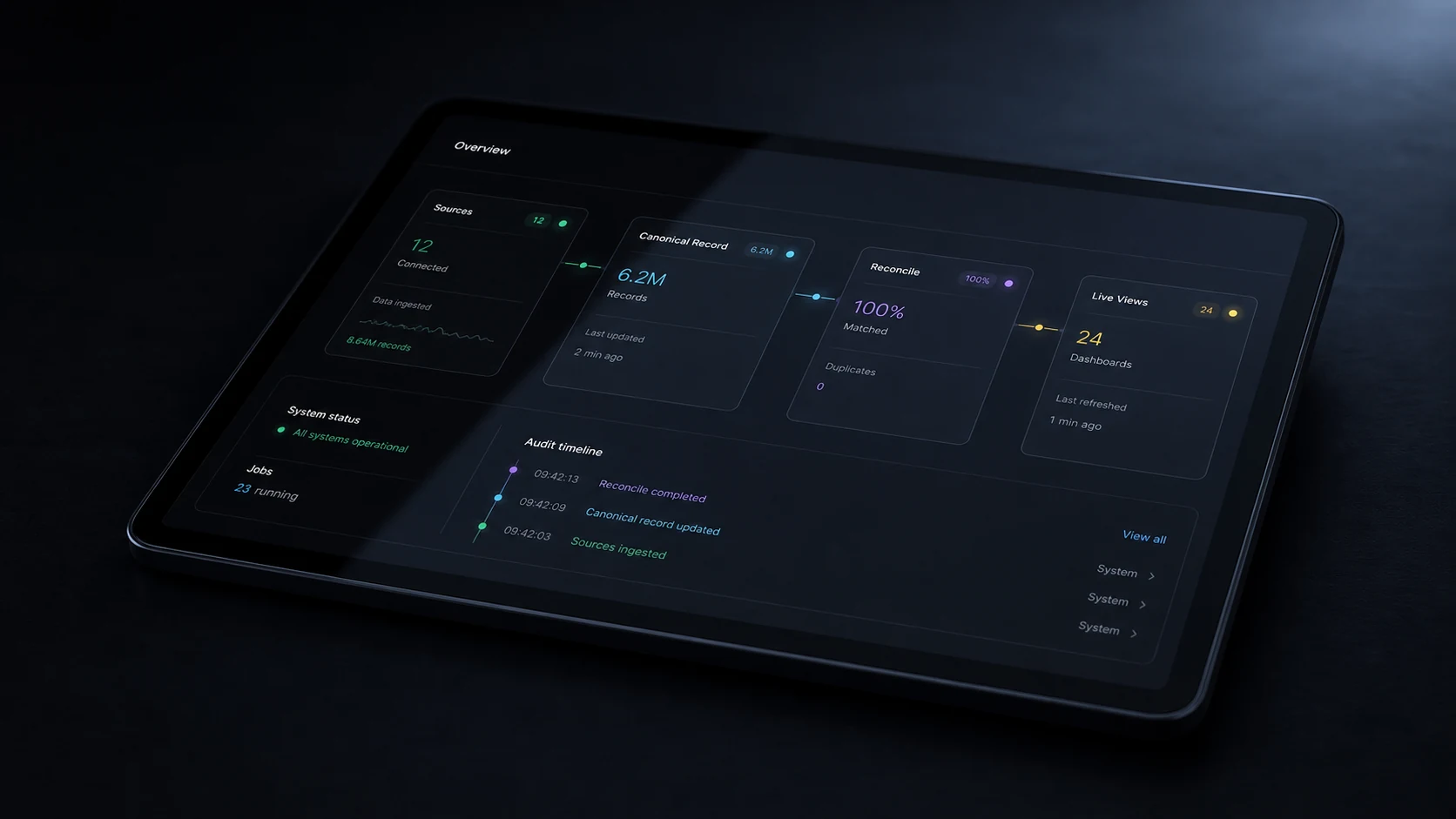
The Synk overview

Stop reporting.Start seeing.

Synk connects your operations data — loads, jobs, deliveries, production runs — and surfaces one live hub, so you always know exactly what's happening and what needs attention.

0
Hours saved every week
4–6 wk
Typical time to go-live
0
Your data, always yours
0
Verticals live today
Works with the systems you already run
XeroMYOBWeighbridgeScale printerSharePointExcel / CSVCustom ERP XeroMYOBWeighbridgeScale printerSharePointExcel / CSVCustom ERP

Your data already exists — in the weighbridge, the scale printer, the spreadsheets and the ledger. Synk pulls all of it into one live hub, reconciled automatically and audited end to end, so the picture is always there when you look.

Built and proven on a quarry and a production plant, then distilled into a platform any production, logistics or admin-heavy site can deploy.

With Synk your data is —
One hub, not a dozen tabs
Reconciled, not re-keyed
Live, not end-of-day
Audited on every write
Yours, exported any time
The cost of doing it by hand

Your data exists. The picture doesn't.

Every load, job and delivery gets recorded somewhere. Turning that into a clear view of how the business is actually running is hours of manual work — every single day.

  • Morning reports pulled by hand from the scale system into spreadsheets before the day can start.
  • Reconciliation done by cross-checking two spreadsheets — errors found at billing time, not docket time.
  • No live view of what's happening on site until end of day, or the next morning.
  • Month-end drags on for days because the numbers live in too many places.
Time lost to manual reporting · typical week
Morning report preparation~2.5 hrs / day
Docket reconciliation~4 hrs / week
Customer billing queries~2 hrs / week
Chasing data across systems~3 hrs / week
Month-end reporting~1.5 days / month
Total admin overhead15–25 hrs / week
How it works

Live in three steps.

No rebuilding your systems and no new software to learn. Synk works around what you already have.

01
CONNECT
Connect your data
We map your existing sources — scale system, spreadsheets, ERP, Xero — to the Synk model and set an automatic pull schedule. No manual exports.
Week 1–2
02
CONFIGURE
Build your dashboard
We build the operations view around the metrics that matter to you. KPIs, reconciliation, alerts and reports — all wired to your live data.
Weeks 3–6
03
GO LIVE
Go live & stay live
Your team gets a one-hour walkthrough. Data updates itself, reports write themselves, and anomalies are flagged before they cost you.
Week 7+
Features

Everything you need, nothing you don't.

Dashboard

Live operations dashboard

  • Real-time KPI cards & activity feed
  • Load tracking and customer leaderboard
  • Open it from any device
Reconcile

Automated reconciliation

  • Docket ↔ invoice matched automatically
  • Unmatched records surfaced as exceptions
  • Caught at docket time, not billing time
Reports

Reports that write themselves

  • Morning summary, weekly digest
  • Month-end generated automatically
  • Sent to whoever needs it
Alerts

AI anomaly alerts

  • Unusual weights and pricing
  • Credit thresholds and missing dockets
  • Flagged by email before they bite
Adapters

Works with what you have

  • Xero, MYOB, CSV and Excel
  • Weighbridge and scale printers
  • Custom ERP — if it has data, Synk reads it
Ownership

Your data, always yours

  • Runs on your infrastructure
  • Full export available any time
  • No vendor lock-in, ever
Industries

Built for operations businesses.

If your team spends time manually tracking what happened, Synk was built for you.

Production

Production

  • Tonnes, batches and uptime in one view
  • Quality logged, not lost
  • Reconciled to dispatch automatically
Manufacturing · Processing · Fabrication · Assembly
Explore the production-plant system →
Logistics

Aggregates & logistics

  • Weighbridge in, dispatch out — matched
  • Movements typed and traceable
  • No double entry between systems
Weighbridge · Dispatch · Stockpiles
Explore the aggregates system →
Soon
Transport

Transport & fleet

  • Driver status and work-time
  • Loads, fuel and RUC tracked
  • Cost per run, not per guess
Transport · Courier · Freight · Delivery
Coming soon
Admin

Administration

  • Invoices, payments and bank lines reconciled
  • Timesheets and compliance, tracked
  • An audit trail ready before anyone asks
Field services · Civil · Construction
Reconciled month-end →
Results

What changes after go-live.

Most sites start saving time in the first week. By month two the manual reporting routine is gone for good.

0
Hours saved every week
Day 1
Live data from go-live
Zero
Manual reports prepared
<1 hr
Month-end close
TaskWithout SynkWith Synk
Weekly revenue report2–4 hrs by handAutomatic — in your inbox
Docket reconciliationTwo spreadsheetsExceptions only
Today's volumesWait until end of dayLive on the dashboard
Top customers by revenueMonthly pivot tableAlways visible
Spotting errors earlyFound at invoice timeAlerted the same day
Board-meeting prepHalf a dayExport the dashboard
Pricing

Priced around your operation.

Every site runs differently — your sources, your scale, your reporting. So we don't sell one-size packages.

Enquire for pricing

We tailor to you and your specific needs.

Start with a free five-minute discovery. We map your first pipeline and come back within 48 hours with a tailored plan and a quote built around your operation — no obligation.

FAQ

Common questions.

Do we need to change our existing systems?+
No. Synk adapts to what you already have. We connect to your existing sources — scale systems, spreadsheets, Xero, MYOB, ERPs — and pull from them automatically. Your team keeps using the tools they know.
How long does it actually take to go live?+
The standard timeline is 6–8 weeks from signed agreement to go-live: weeks 1–2 connect the data, weeks 3–6 build the dashboard, week 7 test, week 8 train and launch. Simpler setups can be done in around 4 weeks.
What if our data is messy or inconsistent?+
That's the most common situation we see. The data audit in week 1 is designed to find and clean up inconsistencies before they reach the dashboard, and we flag any issues before we start building.
Who owns the data and the platform?+
You own everything. Your data stays on your infrastructure, is never sold, and is never used for anything but your dashboard. Full export is available at any time — there's no lock-in, so you can take the whole thing and run it yourself if you ever want to.
What's included in the 30-day support period?+
Email support for any questions, issues or adjustments in the first 30 days after go-live. We fix bugs, tune thresholds, adjust report formats and help your team get comfortable — all at no extra charge.

Ready to stop reporting
and start seeing?

Fill in a five-minute discovery form. We'll come back with a build plan and a personalised demo within 48 hours — no obligation.

Questions? Send us a message — we reply within one business day.